

Accessible WordPress plugin demos you can actually try - go on, click into any one below and use it just like your visitors would. What you see here is the real plugin, live on a real site. Nothing faked, nothing staged.
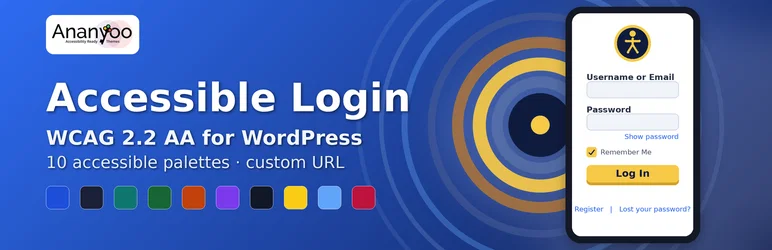
Accessible Login
A full WCAG 2.2 AA replacement for the WordPress login, lost-password and registration screens - ten hand-tuned accessible colour palettes, a custom backend URL, show/hide password, logo upload and clear screen-reader announcements, so the very first screen every visitor meets is already accessible and on-brand.
Test it with: keyboard · screen reader · 400% zoom
Accessible Carousel & Slider
A Gutenberg carousel, slider and slideshow block done right - keyboard-operable controls, an always-visible pause/stop, no auto-advance by default, proper focus handling and aria-live slide announcements, plus titled-tab navigation and optional reading modes: exactly the parts most carousels get wrong.
Test it with: keyboard · screen reader · 400% zoom
Accessible Forms
WCAG 2.2 AA contact and lead forms as a block or shortcode - real labels with fieldset and legend grouping, a focus-managed error summary with inline messages, accessible anti-spam with optional Turnstile, and entries stored safely in your own database with no third-party scripts.
Test it with: keyboard · screen reader · 400% zoom

Accessible Portfolio
WCAG 2.2 AA project grids as a block or shortcode - real alt text on every image, category filters built as real buttons with aria-pressed that announce their results to screen readers, full keyboard support with a visible focus ring, and a responsive grid that reflows down to 320px.
Test it with: keyboard · screen reader · 400% zoom
Accessible Events
The first events plugin built around accessibility - an "Accessibility at this event" panel stating exactly which accommodations each event provides, a filter that shows only the events with the access a visitor needs, accessible add-to-calendar and subscribe, Schema.org dates, and an accessible timeline of your posts and events.
Test it with: keyboard · screen reader · 400% zoom
Accessibility-first, not bolted on.
Built and tested by an accessibility consultant - the same person whose day job is finding WCAG bugs in other people's sites.
Keyboard-first
Every control is fully operable without a mouse, with a visible focus ring and logical tab order.
Screen-reader tested
Verified with JAWS, NVDA, VoiceOver and TalkBack - not just an automated scan.
Contrast-checked
Every colour combination meets 4.5:1 for text and 3:1 for UI, verified against its background.
No dark patterns
No overlays, no tracking, no phone-home. Just working accessible code you can inspect.
Tested with the tools real audits use
The same toolkit used on professional accessibility audits.
Accessible WordPress plugin demos - FAQ
A few quick answers about these accessible WordPress plugin demos before you dive in.